Nestapp
Table of Contents
Overview
- 31 solves / 328 points
- Difficulty: Hardcore
- Overall difficulty for me (From 1-10 stars): ★★★★★★★★★★
Background
Author: Eteck#3426
In order to create an API with an auth system, a developer used NestJS. He tried to follows the doc and all the good practices on the official NestJS website, and used libraries that seems safe.
But is it enough ? Your goal is to read the flag, located in /home/flag.txt
Enumeration
Home page:
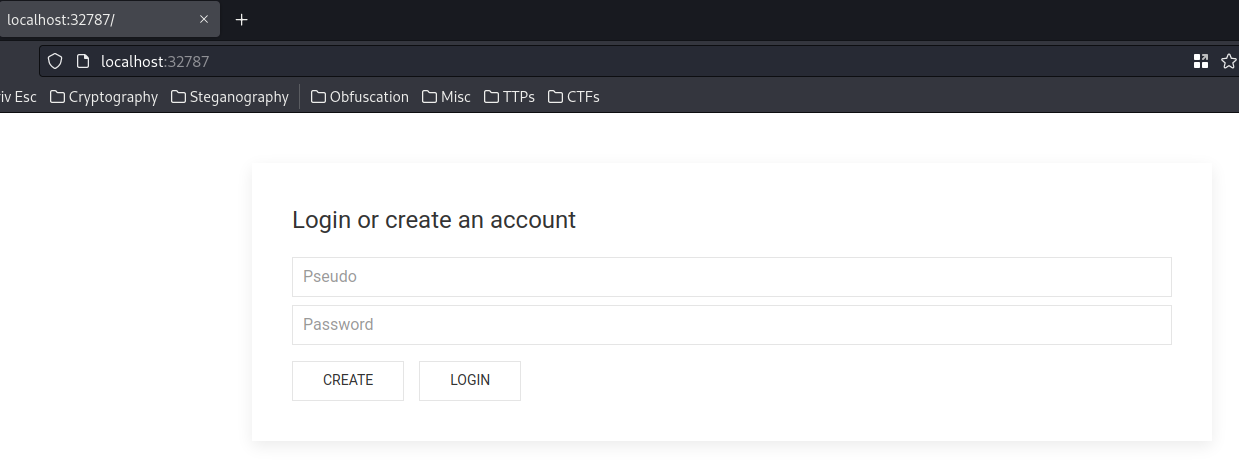
In here, we can login and create an account.
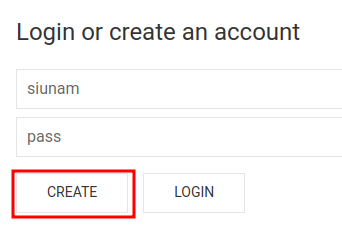
Let's create an account!
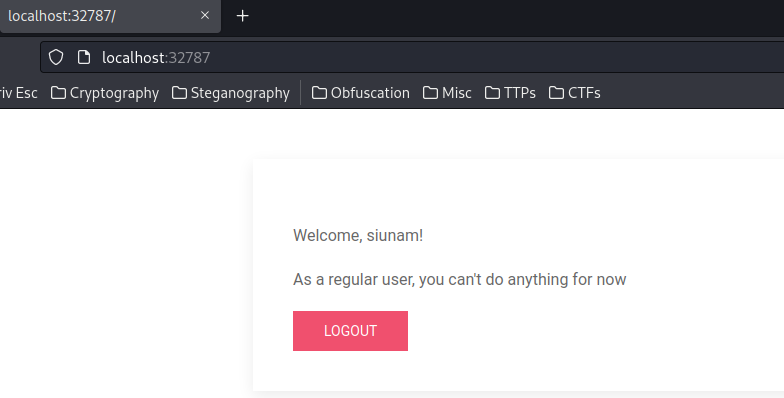
After logged in, it renders: "As a regular user, you can't do anything for now"
Hmm… Looks like we need to escalate our privilege to admin?
Burp Suite HTTP history:
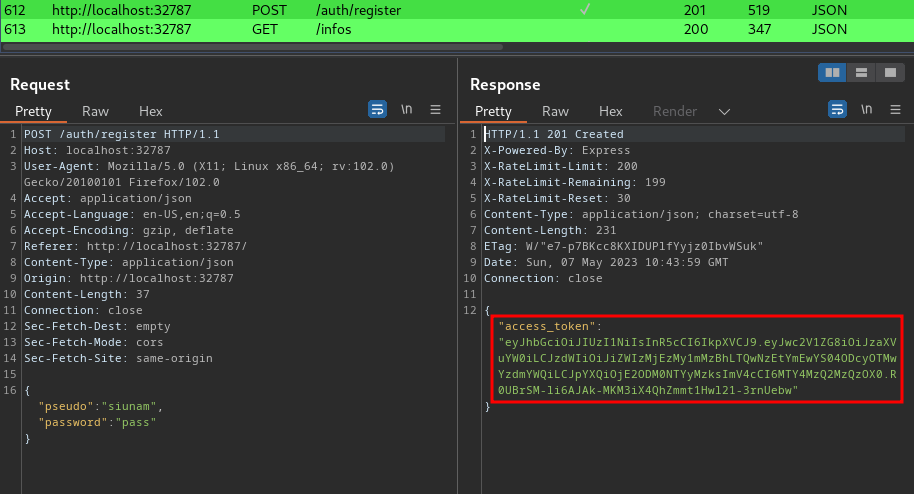
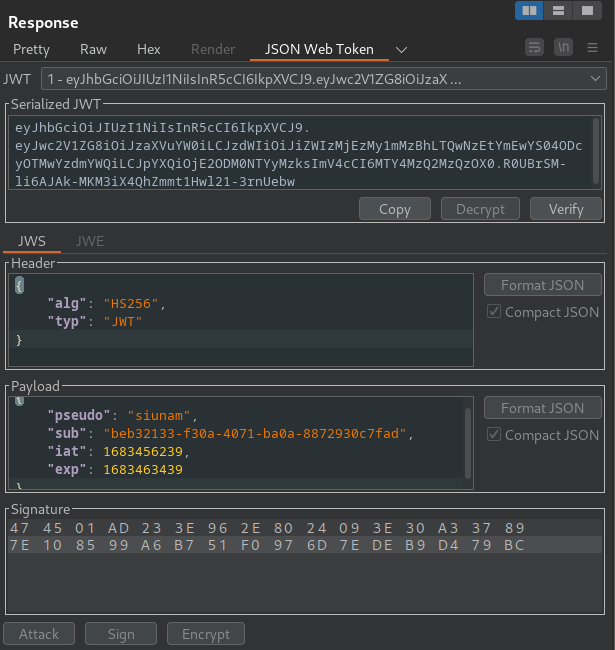
When we're registered or logged in, it'll responses us a JWT (JSON Web Token) as the session cookie.
In the header, the JWT uses HS256 (HMAC + SHA256) algorithm. In the payload, we can see that there's a pseudo, sub claim, it's value is our username and user ID.
Then, it'll also send a GET request to /infos:
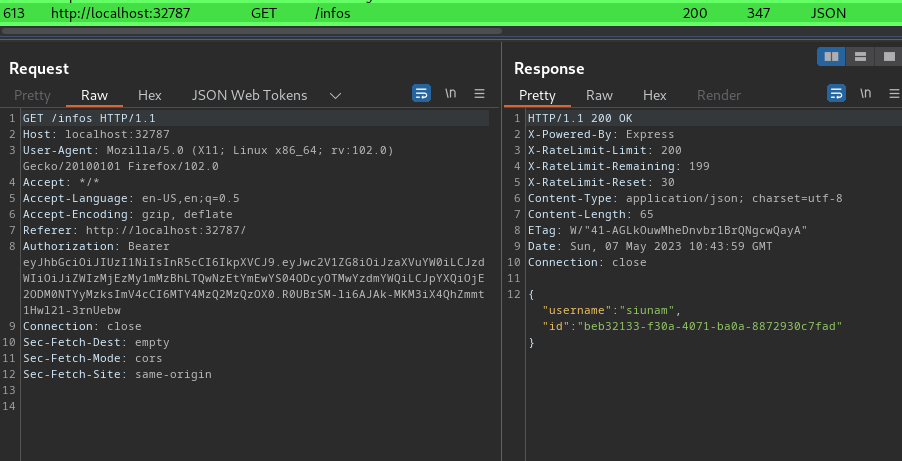
This will response us our username and user ID.
In this challenge, we can download the source code:
┌[siunam♥earth]-(~/ctf/PwnMe-2023-8-bits/Web/Nestapp)-[2023.05.07|16:51:00(HKT)]
└> file Nestapp.zip
Nestapp.zip: Zip archive data, at least v2.0 to extract, compression method=store
┌[siunam♥earth]-(~/ctf/PwnMe-2023-8-bits/Web/Nestapp)-[2023.05.07|16:51:01(HKT)]
└> unzip Nestapp.zip
Archive:  Nestapp.zip
 extracting: chall/.dockerignore
  inflating: chall/.eslintrc.js
  inflating: chall/.gitignore
  inflating: chall/.prettierrc
  inflating: chall/Dockerfile
   creating: chall/front/
  inflating: chall/front/index.html
  inflating: chall/nest-cli.json
  inflating: chall/package.json
  inflating: chall/package-lock.json
  inflating: chall/README.md
   creating: chall/src/
  inflating: chall/src/app.controller.ts
  inflating: chall/src/app.module.ts
  inflating: chall/src/app.service.ts
   creating: chall/src/auth/
  inflating: chall/src/auth/auth.module.ts
  inflating: chall/src/auth/auth.service.ts
  inflating: chall/src/auth/jwt.strategy.ts
  inflating: chall/src/auth/jwt-auth.guard.ts
  inflating: chall/src/main.ts
   creating: chall/src/users/
   creating: chall/src/users/dto/
  inflating: chall/src/users/dto/create-user.dto.ts
  inflating: chall/src/users/user.entity.ts
  inflating: chall/src/users/users.module.ts
  inflating: chall/src/users/users.service.ts
  inflating: chall/tsconfig.build.json
  inflating: chall/tsconfig.json
  inflating: docker-compose.yml
/users/app.controller.ts:
[...]
import * as safeEval from 'safe-eval';
[...]
  @UseGuards(JwtAuthGuard)
  @Post('exec')
  executeCodeSafely(@Request() req, @Body('code') code: string) {
    if (req.user.pseudo === 'admin')
      try {
        const result = safeEval(code);
        if (!result) throw new CustomError('safeEval Failed');
        return { result };
      } catch (error) {
        return {
          from: error.from ? error.from(AppController) : 'Unknown error source',
          msg: error.message,
        };
      }
    return {
      result: "You're not admin !",
    };
  }
[...]
In this /exec POST route, when the user is admin, it uses the safeEval() to evaluate arbitrary JavaScript code.
According to safe-eval npm page, it says:
safe-evallets you execute JavaScript code without having to use the much discouraged and feared uponeval().safe-evalhas access to all the standard APIs of the V8 JavaScript Engine. By default, it does not have access to the Node.js API, but can be given access using a conext object. It is implemented using node's vm module.
Simulating after logged in as admin:
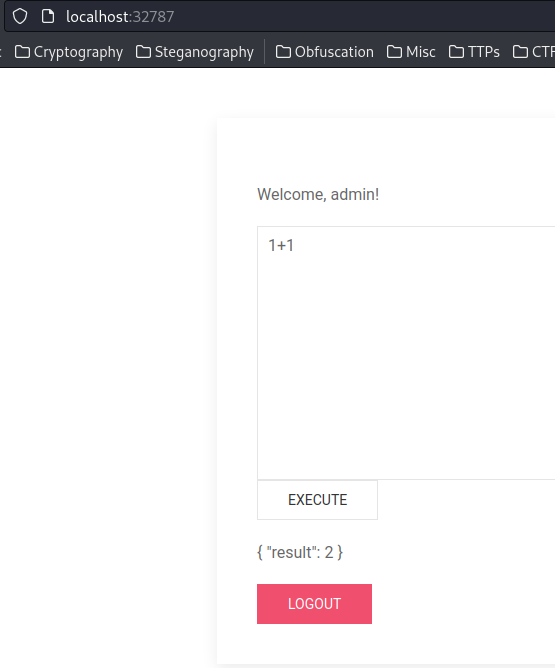
Hmm… Maybe we can do sandbox bypass and gain Remote Code Execution (RCE) if we're admin?
But how to become admin?
Route /auth/login:
[...]
  @Post('auth/login')
  async login(@Body() payload) {
    const user = await this.authService.validate(payload);
    return this.authService.getToken(user);
  }
[...]
/auth/auth.service.ts:
@Injectable()
export class AuthService {
[...]
  async validate(payload) {
    const user = await this.usersService.findOne(payload.pseudo);
    if (user && user.password === getReduceMd5(payload.password)) {
      return user;
    }
    throw new ForbiddenException('Invalid Informations');
  }

  getToken(payload) {
    return {
      access_token: this.jwtService.sign({
        pseudo: payload.pseudo,
        sub: payload.id,
      }),
    };
  }
}
/**
 *
 * @param input Input to hash
 * @returns MD5 of input, but reduced (save some room in database)
 */
function getReduceMd5(input) {
  return crypto.createHash('md5').update(input).digest('hex').slice(0, 6);
}
When a user trying to login, it'll first check the username is correct. Then, it'll check the password is correct by calling function getReduceMd5().
The getReduceMd5() is very interesting to me, as it only generate 6 characters long MD5 hash. Which means it could be vulnerable to MD5 hash collision:
┌[siunam♥earth]-(~/ctf/PwnMe-2023-8-bits/Web/Nestapp/chall)-[2023.05.07|19:33:20(HKT)]
└> sudo docker exec -it 3c7d0e1b0eac /bin/bash
bash-4.2# mysql -uuser -p
Enter password:
[...]
mysql> use db;
[...]
mysql> SELECT * FROM users;
+--------------------------------------+--------+----------+
| id                                   | pseudo | password |
+--------------------------------------+--------+----------+
| 8d7f612d-a67a-47dd-ac69-067e77985351 | admin  | 6991d0   |
| beb32133-f30a-4071-ba0a-8872930c7fad | siunam | 1a1dc9   |
+--------------------------------------+--------+----------+
Hmm… What if we brute force admin's password, and hopefully it's the MD5 password hash is collided…
Then, I tried to do that locally:
#!/usr/bin/env python3
from hashlib import md5

if __name__ == '__main__':
    # MD5 is 128 bits long
    for i in range(0xffffffff + 1):
        plainText = str(i).encode('utf-8')
        afterHashed = md5(plainText).hexdigest()[:6]

        print(f'[*] Trying plaintext: {plainText.decode()}, after hashed: {afterHashed}', end='\r')
        if afterHashed == '6991d0':
            print('[+] MD5 hash collided!\n')
            print('[+] Target hash: 6991d0')
            print(f'[+] Before hashed: {plainText.decode()}')
            print(f'[+] After hashed: {afterHashed}')
            break
┌[siunam♥earth]-(~/ctf/PwnMe-2023-8-bits/Web/Nestapp)-[2023.05.07|19:42:02(HKT)]
└> python3 md5_hash_collision.py
[...]
[+] MD5 hash collided!
[+] Target hash: 6991d0
[+] Before hashed: 10979066
[+] After hashed: 6991d0
That took me 10979066 times!
However, I asked admin about that, and they say brute forcing on the remote instance is not allowed…
Hmm… Are there anything that I can escalate to admin?…
After fumbling around, I couldn't find anything interesting…